

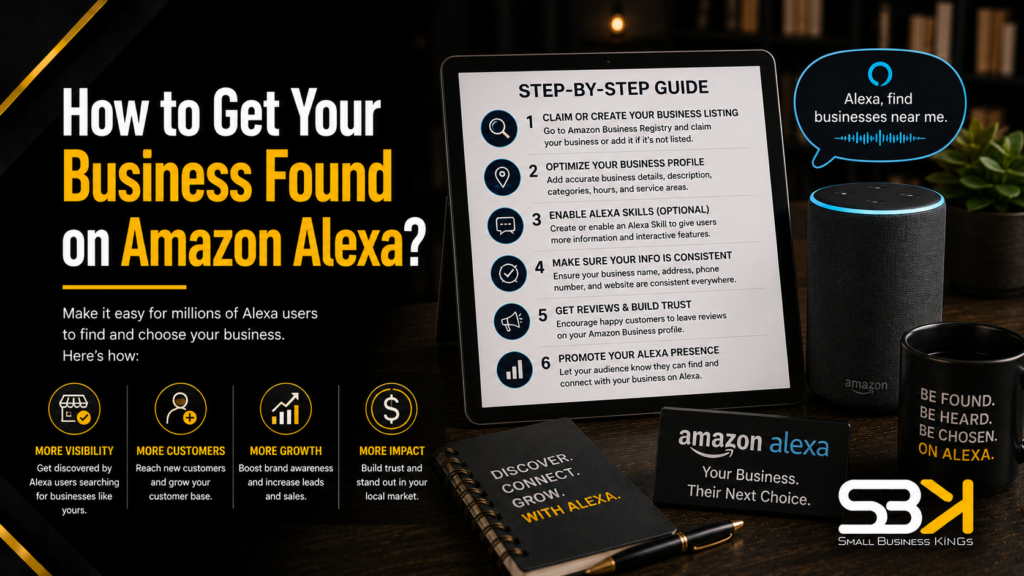
How to Get Your Business Found on Amazon Alexa?
There’s no such thing as an Amazon Alexa business listing you can create directly — Alexa doesn’t maintain its own business directory. Instead, it pulls information from a handful of trusted platforms it already indexes: Google Business Profile, Yelp, Bing Places, and Apple Maps. Getting found on Alexa means making sure your business information is accurate, consistent, and complete across those sources, not filling out a form on Amazon’s site.
Why There's No Direct Way to "Register" With Alexa
This is the single most common point of confusion for business owners searching this topic, so it’s worth being blunt about it: you cannot sign up for an “Alexa business listing” anywhere, because that product doesn’t exist. Alexa functions as a query layer — when someone asks their Echo device to find a plumber or a coffee shop, Alexa checks the directories it already trusts, weighs a handful of signals (review quality, listing completeness, NAP accuracy), and surfaces the best match. Your job isn’t to reach Alexa directly. It’s to make your business the obvious, verified answer in the directories Alexa is already checking.
Automate & Scale Your Small Business
Replace 10+ costly subscriptions with 1 all-in-one CRM, Funnels & Marketing Engine.
Where Alexa Actually Pulls Business Data From
Not every directory carries equal weight, and the platform that matters most depends on your type of business.
- Yelp is the primary data source for restaurants, retail, and many service businesses — Alexa relies on it heavily for reviews and photos in these categories.
- Google Business Profile feeds both Google’s own ecosystem and, indirectly, other search infrastructure that Alexa’s web layer draws from. It matters for nearly every business type.
- Bing Places supplies web search results and local data through Microsoft’s search infrastructure, which Alexa also references.
- Apple Maps is relevant for device-level and iOS-adjacent queries, and often pulls its own photos and reviews from Yelp.
- Foursquare supplements location and category data across multiple voice assistants, including Alexa.
- Your own website, if it includes structured data (schema markup), gives Alexa a direct, machine-readable source instead of relying entirely on third parties.
If you run a restaurant or retail shop, Yelp deserves your attention first. If you run a professional service business — plumbing, HVAC, legal, medical — Google Business Profile and Bing Places typically carry more weight, since fewer customers are Yelp-first for those categories.
The Three Types of Alexa Voice Searches — and Why It Matters Which One You're Optimizing For
Not all voice queries work the same way, and knowing which type applies to your business changes what you should prioritize.
Launch Your Business On Fast VPS Hosting
Secure, high-performance hosting designed for growth. Don't lose sales to slow site speed.
| Search Type | Example | What the User Wants | What Alexa Prioritizes |
|---|---|---|---|
| Discovery | “Best plumber near me” | Comparing options | Review rating, review count, category match, proximity |
| Direct | “Call Joe’s Plumbing” | Reaching a specific business | Exact name match, correct phone number |
| Knowledge | “How much does a plumber cost?” | General information | Schema markup, FAQ content, website authority |
Discovery searches are the highest-volume category for most local businesses, and they’re won primarily on review signals — rating, count, and how recently reviews were left. If you only have time to fix one thing this month, fixing your review profile usually moves the needle furthest for discovery-type queries. Direct searches hinge almost entirely on NAP accuracy: if someone says “call [your business name]” and your listed name or number doesn’t match exactly, Alexa can fail the match even if your business is otherwise well-optimized. Knowledge searches reward businesses with genuinely useful, structured content on their own website — this is where schema markup and clear FAQ content do real work.
Step-by-Step: Getting Your Business Alexa-Ready
- Claim and fully complete your Google Business Profile. Fill in every field — category, hours, phone, address, services, photos, website URL. Incomplete profiles are consistently deprioritized in favor of fuller ones, so a half-finished profile actively works against you.
- Create listings on Yelp, Bing Places, and Apple Maps. Skipping any one of these leaves a gap in the data layer Alexa cross-references, and inconsistent coverage across platforms can look like unreliable data even when each individual listing is accurate.
- Make your NAP identical across every platform. Your business name, address, and phone number need to match exactly — not just close. “Suite 200” and “Ste 200” can register as inconsistent to automated matching systems, as can a phone number written with dashes on one platform and parentheses on another.
- Add LocalBusiness schema markup to your website. This gives Alexa a direct, structured source for your hours, services, and contact details instead of relying entirely on third-party directories staying accurate and in sync.
- Actively collect and respond to customer reviews. Review volume and recency both function as trust signals — a business with steady recent reviews generally outperforms one with a large but stale review count.
- Audit every listing every 90 days. Hours change, phone numbers get reassigned, addresses move. A quarterly check across all four platforms catches drift before it costs you a customer.
Free Business Blueprint
Steal the roadmap smart entrepreneurs use to launch, grow, and scale their businesses while avoiding expensive mistakes.
How to Actually Check and Fix NAP Inconsistencies
Most guidance on this topic tells you NAP consistency matters without explaining how to verify it. Here’s the practical version:
- Open Google Business Profile, Yelp, Bing Places, and Apple Maps in separate browser tabs.
- Write down your business name, full address, and phone number exactly as they appear on each — down to abbreviations, punctuation, and formatting.
- Compare all four side by side. Look specifically for: “St.” vs. “Street,” “Suite” vs. “Ste” vs. “#,” different area code formatting, and any outdated address from a past move.
- Standardize on one exact format and update every platform to match it precisely — including your own website’s contact page and footer, which should use the identical format too.
- Search your business name plus your city on Google to check for old or duplicate listings you may have forgotten about (a previous Yelp claim from a prior owner, an old Foursquare entry, etc.), and either claim and correct or request removal of anything outdated.
This is tedious but genuinely fixable in an afternoon for a single-location business, and it’s one of the highest-leverage things you can do since inconsistent NAP silently undermines every other optimization step.
Adding Schema Markup Without Hiring a Developer
Schema markup sounds technical, and competitor guides tend to leave it there — as a checklist item with no path to actually doing it. In practice, most small business owners have three realistic options:
- Website builder plugins. If your site runs on WordPress, Squarespace, or Wix, there are schema plugins and built-in tools that generate LocalBusiness markup from information you already have in your site settings — no code required.
- Schema generator tools. Free online LocalBusiness schema generators let you fill in a form (name, address, hours, services) and output the correct code, which you then paste into your site’s HTML, typically in the header or footer template.
- A web developer or design partner. If your site is custom-built or you’re not comfortable pasting code anywhere, this is a quick, low-cost task for whoever built or maintains your site.
One caution worth taking seriously: schema implemented with missing required fields or deprecated markup formats provides no benefit and can occasionally cause parsing issues, so if you’re not confident it’s correct, a quick validation with a schema testing tool before you consider the job done is worth the extra five minutes.
What It Actually Costs to Get Found on Alexa
The core work — claiming and completing listings on Google, Yelp, Bing, and Apple Maps — costs nothing. Where cost enters the picture is in how much ongoing management you want to hand off versus do yourself.
| Approach | Typical Cost Range | Best Fit |
|---|---|---|
| DIY on free directories | $0 | Single-location businesses with stable hours and contact info |
| Listing management tool | Monthly subscription, varies by provider | Multiple locations or frequent data changes |
| Professional local SEO service | Monthly retainer, varies by provider | Businesses wanting hands-off citation building and review management |
| Voice search optimization agency | Monthly retainer, typically higher-tier | Businesses treating voice search as a dedicated growth channel |
Exact pricing for tools and services changes often and varies by provider and scope, so treat any specific number you see quoted elsewhere as a starting point for your own research rather than a fixed rate. For most single-location small businesses, the free DIY route covers the fundamentals completely — paid tools earn their cost mainly when you’re managing multiple locations or your business information changes often enough that manual audits become a real time burden.
Why Your Business Might Not Be Showing Up
If you’ve done the basics and you’re still not appearing in Alexa results, the cause is almost always one of these:
- Inconsistent NAP across one or more directories — even a single mismatched digit or abbreviation can be enough.
- A missing directory entirely — no Yelp listing, for instance, leaves a real gap for Yelp-dependent categories like restaurants and retail.
- Duplicate listings on the same platform, often from a previous owner or an old auto-generated entry, which splits your reviews and confuses matching.
- No schema markup, leaving Alexa dependent entirely on third-party directory data with no direct source from your own site.
- A thin or stale review profile — few reviews, or none in the past several months, reads as an inactive or unreliable business.
- Outdated hours or contact information anywhere in the chain, which can cause Alexa to serve wrong information even if your business is otherwise well-optimized.
Work through this list in order — NAP and missing directories are usually the fastest fixes and the most common root cause.
Getting Your Business Ready to Be Found — Beyond Alexa
Everything above assumes you already have a website worth linking your directory listings to, and a way to actually manage the leads and calls that start coming in once you’re easier to find. If you’re still building that foundation, getting a professional website, clean branding, and a simple CRM to track customer inquiries in place early saves you from scrambling once the calls start coming in — SBK works with Softangles for exactly this: they handle business website design and hosting, logo and brand/media design, and CRM/sales pipeline setup, so your online presence is ready before your directory optimization starts paying off.
Frequently Asked Questions
Can I register my business directly with Amazon Alexa?
No — there’s no direct registration portal for Alexa business listings. Alexa pulls information from third-party directories like Google Business Profile, Yelp, Bing Places, and Apple Maps, so improving your visibility there is what actually gets you found on Alexa.
How long does it take for changes to show up in Alexa search results?
It depends on the directory and how quickly each platform processes updates, but changes typically take anywhere from a few days to a few weeks to propagate through to Alexa. There’s no fixed timeline Amazon publishes, so don’t expect instant results after an update.
Does schema markup actually make a measurable difference for Alexa visibility?
Yes, in that it gives Alexa a direct, structured source for your business details instead of relying entirely on third-party directories, which is especially useful for knowledge-type voice queries. It won’t compensate for inconsistent NAP or a weak review profile, though — schema supplements the fundamentals rather than replacing them.
Is it worth paying for a listing management tool as a single-location small business?
Usually not, at least to start. A single location with stable hours and contact information can typically be managed manually across the four key directories in under an hour a quarter — paid tools earn their cost mainly for multi-location businesses or those with frequent information changes.
Do I need to optimize for Siri and Google Assistant separately, or does this work cover those too?
Most of this work overlaps significantly, since Siri also draws heavily on Yelp and Apple Maps, and Google Assistant draws directly on Google Business Profile. Getting your NAP consistent and your reviews strong across these same platforms improves your visibility across all three voice assistants, not just Alexa.
Launch Your Business On Fast VPS Hosting
Secure, high-performance hosting designed for growth. Don't lose sales to slow site speed.
How many reviews do I actually need before Alexa starts recommending my business?
There’s no published minimum, and it varies by category and local competition — what matters more than a specific count is recency and consistency, since a business with fewer but steadily accumulating recent reviews often outperforms one with a large but stale review history. Focus on building a habit of asking for reviews at the point of service rather than chasing a specific number.