
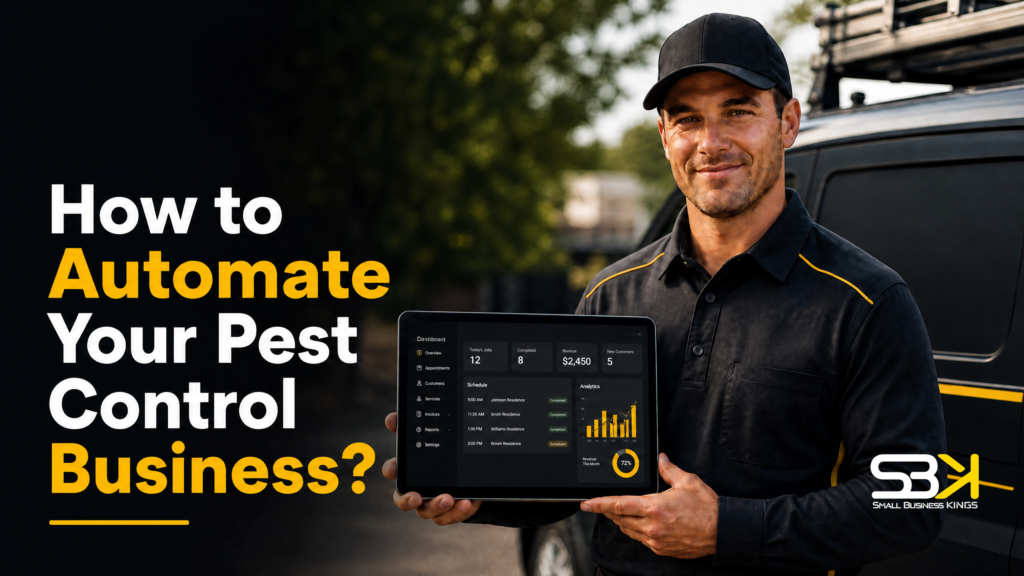
How to Automate Your Pest Control Business?
Automating a pest control business means putting two separate systems in place: operational automation (scheduling, routing, chemical tracking, invoicing) through field service management software, and marketing/lead-conversion automation (instant lead response, follow-up sequences, review requests) through a CRM or marketing platform. Most owners only build one of these, then wonder why growth stalls — the businesses that actually scale build both, in the right order.
Why Pest Control Businesses Need Two Kinds of Automation, Not One
It’s easy to think “automation” means one piece of software that does everything. In practice, pest control businesses typically need two distinct systems working together, because they solve different problems.
Automate & Scale Your Small Business
Replace 10+ costly subscriptions with 1 all-in-one CRM, Funnels & Marketing Engine.
Operational automation handles the physical delivery of service: scheduling technicians, optimizing routes, tracking chemical applications for compliance, and invoicing customers once a job is done. This is what platforms like FieldRoutes, PestPac, and GorillaDesk are built for.
Marketing and lead-conversion automation handles everything that happens before and around service delivery: responding to new leads within minutes, following up relentlessly until someone books or says no, and automatically requesting reviews after every job. This is what platforms like GoHighLevel or similar marketing CRMs are built for.
Some businesses eventually consolidate both into overlapping systems, but conceptually, keep them separate in your head — you’ll make better buying decisions and avoid frustration when a route-optimization tool doesn’t also do text message drip campaigns, or vice versa.
Launch Your Business On Fast VPS Hosting
Secure, high-performance hosting designed for growth. Don't lose sales to slow site speed.
Where to Start: A Framework Based on Your Business Stage
Not every business needs the same automation on day one. Use your current size and pain points to decide what to build first.
Solo operator or very small team (1–3 techs): Your biggest bottleneck is almost always lead response and follow-up, not operations — you likely don’t have enough volume yet to justify complex route optimization. Start with a basic CRM that automates text/call sequences for new leads and automated review requests after service. A simple scheduling tool is enough; you don’t need sophisticated routing until you’re juggling multiple technicians across overlapping territories.
Growing team (4–15 techs): This is where operational automation starts paying for itself. Route optimization genuinely reduces drive time and fuel costs once you have enough simultaneous jobs to make routing decisions non-trivial. This is also the stage where manually tracking chemical applications and compliance forms across multiple technicians becomes a real liability risk rather than a minor inconvenience.
Established, scaling business (15+ techs or approaching seven figures in revenue): At this point, both systems should be fully built out and integrated, and it’s often worth evaluating whether to bring in help — either a specialist who implements marketing automation for the industry, or a dedicated ops hire who owns your field service platform — since the hours you’d spend building and maintaining these systems yourself are increasingly worth more spent elsewhere in the business.
Operational Automation: What to Build and Why
Centralizing Customer Data
Every technician, dispatcher, and office staff member needs access to the same up-to-date customer record — service history, property notes, billing information, and any special instructions — regardless of which device they’re using. Without this, you get the classic small-business failure mode: a technician shows up without knowing the customer has a dog that needs to be secured, or bills the wrong amount because they’re working from outdated information. Centralized CRM data inside a field service platform eliminates this by syncing changes across the entire system the moment they’re made.
Automating Scheduling and Route Optimization
Manually building a technician’s daily route — factoring in job location, service duration, and drive time between stops — is a genuine time sink once you have more than a couple of technicians running overlapping territories. Automated route optimization tools take your list of jobs for the day and calculate the most efficient sequence based on location and estimated job duration, which reduces both fuel costs and the total hours your technicians spend driving instead of servicing properties.
This matters more than it sounds like on paper: a technician who saves even 30–45 minutes of drive time per day can realistically fit in one additional job, which compounds into meaningful additional revenue capacity across a full team over a season.
Tracking Chemical Applications and Compliance
Pest control is a licensed, regulated trade in every state, and most states require documentation of what chemicals were applied, where, in what quantity, and by which certified technician. Manually maintaining these records — especially across multiple technicians and hundreds of properties — creates real liability exposure if records are incomplete or inconsistent when a state inspection or a customer dispute arises.
Automated systems have technicians log the chemical, application method, and treated areas directly on a mobile device at the time of service, which timestamps the record and ties it to the specific job automatically. This isn’t just convenience — it’s the difference between producing a complete compliance record in minutes during an audit versus scrambling through paper files or inconsistent notes. Requirements for licensing, recordkeeping, and applicator certification vary by state, so confirm your specific state’s pest control regulatory requirements directly with your state’s department of agriculture or pesticide regulatory agency rather than assuming a general standard applies everywhere [Source: U.S. Environmental Protection Agency, Pesticide Applicator Certification].
Automating Invoicing and Payment Collection
Cash flow problems in service businesses are frequently a billing-speed problem, not a revenue problem. If invoices go out days after a job is completed, collection slows down and accounts receivable creeps upward. Automated invoicing generates and sends an invoice the moment a job is marked complete, often paired with in-field payment processing so a technician can collect payment (card, ACH, or digital wallet) before they even leave the property. For recurring service customers, automated recurring billing removes the need to manually invoice the same customer every cycle, which both saves administrative time and reduces the chance a payment gets missed or delayed.
Marketing and Lead-Conversion Automation: What to Build and Why
Speed-to-Lead: Why Minutes Matter
When a potential customer fills out a form on Facebook, Google, or your website, they are very likely filling out the same form on two or three competitors’ sites at the same time. The business that responds first — genuinely within minutes, not hours — has a significant advantage in closing that lead, simply because the prospect hasn’t yet had a real conversation with anyone else.
A practical first-response sequence looks like this:
- Immediately: An automated text confirms receipt of the inquiry and lets the prospect know a call is coming shortly.
- Within minutes: A real phone call — not automated — to answer questions and get the job scheduled.
- If unanswered: A follow-up call attempt shortly after, followed by a voicemail that clearly states who you are and why you’re calling.
- Later that day: Additional call attempts, since many people are simply busy rather than uninterested.
The text-before-call sequence isn’t just about being fast — many people don’t answer calls from unfamiliar numbers, and a text beforehand gives the incoming call context, which measurably improves answer rates.
Building a Follow-Up Sequence That Doesn’t Give Up Too Early
Most missed opportunities aren’t lost because the prospect wasn’t interested — they’re lost because the business stopped following up after one or two attempts. People are busy, distracted, or in the middle of something else when your first call comes in; that doesn’t mean they don’t want the service.
A reasonable follow-up cadence for new leads:
- First week: At least one contact attempt (call or text) per day.
- After the first week: Transition into a longer-term automated nurture sequence — periodic check-ins at increasing intervals (a couple of weeks out, a month out, then quarterly or seasonally).
- Ongoing: Continue until the prospect either books service or explicitly asks to stop being contacted.
This longer-tail sequence matters more than most owners realize, particularly because pest control has real seasonality — someone who requested a mosquito treatment quote in the spring but didn’t book that year may be a much easier close the following spring when the same seasonal trigger reminds them of the problem.
Free Business Blueprint
Steal the roadmap smart entrepreneurs use to launch, grow, and scale their businesses while avoiding expensive mistakes.
Automating Review Requests Without Risking Bad Public Reviews
A smart automated review sequence asks for internal feedback first, then routes based on the response:
- After service, send an automated request asking the customer to rate their experience on a simple scale.
- If the rating is high, automatically follow up with a direct link to leave a public review on Google (or another platform relevant to your market).
- If the rating is low, route the response internally to a manager instead of pushing for a public review — this gives you a chance to address the issue directly before it becomes a negative public review.
This structure protects your online reputation while still generating a steady stream of genuine positive reviews from satisfied customers.
Comparing the Two Types of Automation Platforms
| Category | What It Automates | Examples | Best Fit |
|---|---|---|---|
| Field service management (FSM) | Scheduling, routing, chemical tracking, invoicing, mobile field tools | FieldRoutes, PestPac, GorillaDesk | Any business with technicians in the field, especially once routing complexity increases |
| Marketing/lead CRM | Lead response, follow-up sequences, review requests, reactivation campaigns | GoHighLevel and similar marketing automation platforms | Any business generating leads from paid ads, forms, or online sources |
| Combined/integrated platforms | Elements of both, to varying degrees | Varies by vendor and package | Businesses wanting to consolidate vendors once operations and marketing needs are both clearly defined |
Pricing for these platforms varies significantly by vendor, feature tier, and number of users, and it changes over time, so get current quotes directly from any platform you’re evaluating rather than budgeting off a number you’ve seen referenced elsewhere.
A Worked Example: A Two-Technician Business Automating for the First Time
Say you run a small pest control operation with yourself and one additional technician, currently tracking jobs on a shared calendar and following up with leads whenever you get a free moment.
- Set up a basic CRM for lead response first, since this is where you’re likely losing the most business right now. Configure an automatic text response for new form submissions and set a reminder system that prompts you to call within minutes rather than whenever convenient.
- Build a simple 7-day follow-up sequence for any lead that doesn’t book immediately — at minimum, one contact attempt per day for the first week before moving them into a longer-term, less frequent nurture cadence.
- Choose a basic field service platform to centralize your two technicians’ schedules and start logging chemical applications digitally instead of on paper, even before you have enough job volume to need serious route optimization.
- Automate your invoicing so invoices go out the moment a job is marked complete, rather than batching them at the end of the week.
- Turn on automated review requests after every job, with the high-rating-to-Google, low-rating-to-you-directly routing described above.
- Revisit route optimization once you add a third or fourth technician, since that’s typically the point where manual scheduling starts costing real time and fuel.
This sequencing prioritizes the automation with the fastest, most obvious return (lead response) before investing in operational tools that matter more once you’ve scaled up technician count.
The Balance Between Automation and the Human Touch
Not everything should be automated, and treating automation as a way to remove humans from every interaction usually backfires. Automated texts, reminders, and review requests work well precisely because they’re repetitive and low-stakes. The actual sales conversation — answering a prospect’s specific questions, handling price objections, explaining what makes your service different — still performs best as a real conversation with a real person, especially for a service where someone is inviting a technician into their home.
The right split: let automation handle the repetitive, time-sensitive tasks (instant text responses, reminder calls triggered automatically, review request sequences), and keep humans on anything involving genuine persuasion, relationship-building, or judgment calls about a specific customer’s situation.
Setting Up the Digital Presence That Supports All of This
- None of the automation above works if a prospect can’t easily find and trust your business online in the first place. A clean, fast website that clearly explains your services and service area, paired with a simple system for tracking incoming leads and existing customers, is the foundation every automation sequence above depends on. If you’re setting this up for the first time or your current site isn’t converting the traffic your marketing already generates, it’s worth building this properly rather than patching it together. SBK works with Softangles for exactly this: they handle business website design and hosting, logo and brand/media design, and CRM/sales pipeline setup, so the leads generated by your marketing automation actually land somewhere organized instead of getting lost.
Common Mistakes to Avoid
- Automating lead follow-up but not operations, or vice versa. Both systems compound each other — great lead conversion means nothing if scheduling and routing can’t keep up with the new volume, and efficient operations don’t help if leads never get converted in the first place.
- Giving up on lead follow-up too early. A single call attempt followed by giving up is one of the most common and costly mistakes in this industry — persistence, spread across days and weeks, converts leads that look “dead” after one missed call.
- Skipping chemical application recordkeeping until an inspection forces the issue. Building this into your regular workflow from day one is far less painful than reconstructing records after the fact.
- Over-automating customer-facing sales conversations. Automated texts and reminders are fine; letting a chatbot or AI handle actual price negotiation and objection-handling on a service this personal tends to hurt conversion rather than help it.
- Choosing generic business software instead of pest-control-specific platforms. Industry-specific field service and CRM tools already understand recurring treatment schedules, chemical tracking, and seasonal pest cycles — generic project management tools require you to build all of that structure yourself.
Frequently Asked Questions
What should I automate first in my pest control business?
For most small operators, lead response and follow-up automation delivers the fastest return, since slow or inconsistent follow-up is one of the most common reasons booked-but-not-closed leads are lost. Operational automation (routing, chemical tracking, invoicing) becomes more valuable as your technician count and job volume grow.
Do I need separate software for marketing automation and field service management?
Often yes, at least initially — field service platforms are built for scheduling, routing, and compliance tracking, while marketing CRMs are built for lead response and follow-up sequences, and few platforms do both equally well. Some businesses eventually consolidate as their needs mature, but starting with the tool best suited to your most urgent bottleneck is usually the better first move.
How much does pest control automation software typically cost?
Pricing varies significantly by platform, feature tier, and number of users, and it changes over time, so get a current quote directly from any vendor you’re evaluating rather than relying on a figure you’ve seen referenced elsewhere. Weigh the cost against the specific time or revenue problem you’re trying to solve rather than choosing based on price alone.
Will automation make my business feel impersonal to customers?
It doesn’t have to, as long as you automate the repetitive, low-stakes touchpoints (appointment reminders, review requests, initial lead response) while keeping actual sales conversations and problem-resolution calls handled by a real person. Customers generally appreciate faster responses and clearer communication — the risk of feeling impersonal comes from over-automating judgment-based interactions, not from automating logistics.
What records do I need to keep for chemical applications, and how does automation help?
Requirements vary by state, but most states require documentation of what chemical was applied, where, in what quantity, and by which certified applicator — confirm your specific state’s requirements with your state’s department of agriculture or pesticide regulatory agency. Automated systems let technicians log this information digitally at the time of service, creating a timestamped, complete record that’s far easier to produce during an inspection than reconstructing paper notes after the fact.
Launch Your Business On Fast VPS Hosting
Secure, high-performance hosting designed for growth. Don't lose sales to slow site speed.
How long does it take to fully implement pest control automation?
It depends heavily on how many systems you’re building and how much existing data (customer records, service history) needs to be migrated, but expect the process to take real, dedicated time rather than a quick setup. Implementing in phases — starting with your biggest bottleneck, then expanding — tends to work better than trying to launch every automation simultaneously, since it gives your team time to adjust to each new system before adding the next one.