

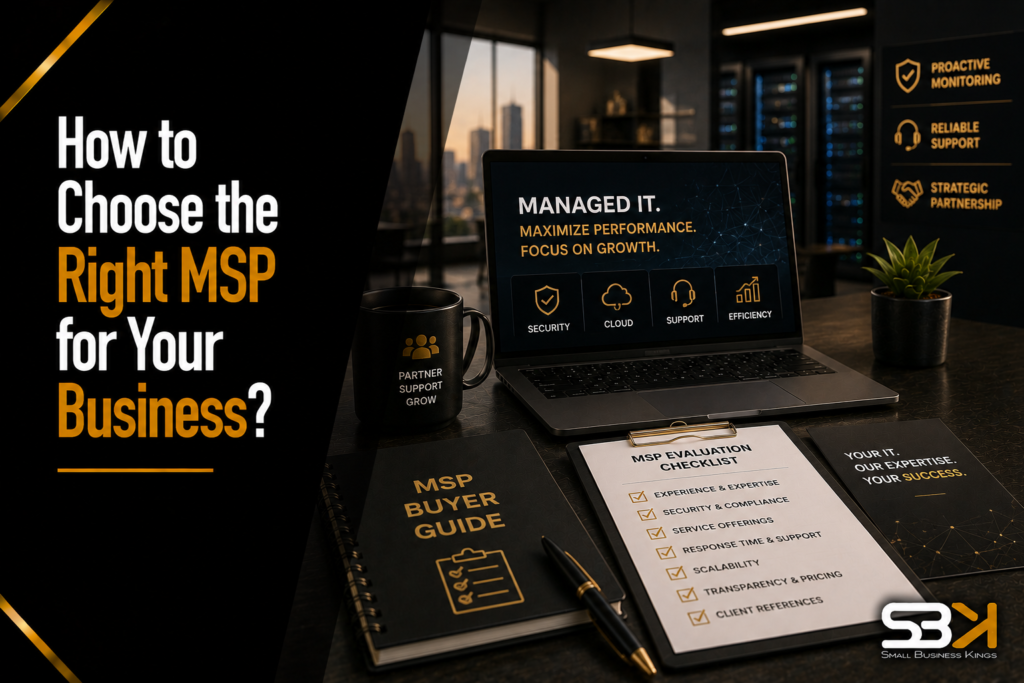
How to Choose the Right MSP for Your Business?
Choosing the right Managed Service Provider means starting with a clear picture of your actual IT gaps, then evaluating candidates against concrete, verifiable criteria — industry experience, a specific and measurable SLA, a pricing model that fits your business, and references you actually call, not just read. The MSPs that look best in a sales pitch aren’t always the ones that perform best once you’re a client six months in, which is why the evaluation process matters as much as the final decision.
Step 1: Define Your Actual IT Needs Before Talking to Any Provider
Walking into MSP conversations without a clear sense of what you need makes every pitch sound equally compelling — and equally hard to compare. Before reaching out to anyone, get specific about:
- What’s actually broken or missing today — slow response to IT issues, no formal cybersecurity strategy, an aging on-premises server, no disaster recovery plan, or simply no dedicated IT support at all.
- What compliance obligations apply to your industry — HIPAA if you handle health data, PCI-DSS if you process card payments, GDPR or similar if you handle EU customer data, or industry-specific regulations relevant to your sector.
- Whether you need full outsourcing or a hybrid model — some businesses want an MSP to fully replace internal IT; others want an MSP handling specific functions (security, cloud infrastructure) while a smaller internal team or a single IT-savvy employee handles day-to-day requests.
Writing this down before your first conversation with a provider turns vague sales conversations into concrete comparisons.
Step 2: In-House, MSP, or Hybrid? A Real Decision Point
This is worth addressing directly, since most guides jump straight to “how to pick an MSP” without addressing whether full outsourcing is even the right call.
- Full MSP outsourcing tends to make sense for small businesses without the budget or need for a full-time internal IT hire, or businesses wanting 24/7 coverage a single internal person couldn’t reasonably provide alone.
- A hybrid model — a lean internal IT presence supplemented by an MSP for specialized functions (security operations, cloud management, after-hours coverage) — often fits growing businesses that have outgrown a single generalist IT hire but aren’t yet large enough to justify a full internal department.
- Staying fully in-house can still make sense for businesses with highly specific, proprietary systems where institutional knowledge matters enormously, though this becomes harder to justify as security and compliance demands increase.
There’s no universally right answer here — it depends on your size, budget, and how specialized your systems are. Be honest about which model actually fits before evaluating specific MSPs against the wrong benchmark.
🚀 Top Rated Web Hosting ⚠ Save 30% TodayLaunch Your Business On Fast VPS Hosting
Secure, high-performance hosting designed for growth. Don't lose sales to slow site speed.
Step 3: Verify Real Industry Experience — Not Just a Client List
An MSP that’s worked with businesses like yours understands your specific compliance requirements, common software stack, and operational rhythms in a way a purely generalist provider doesn’t.
- Ask directly for client examples in your specific industry, not just a general client list — a generalist MSP that’s mostly served retail businesses may not understand a healthcare practice’s HIPAA obligations in practice, even if they claim general compliance expertise.
- Ask what compliance frameworks they actively support, and specifically how — do they provide documentation, audit support, and ongoing monitoring specific to your regulatory requirements, or do they simply claim general awareness of the standard?
Step 4: Get a Real, Measurable SLA — Not Vague Promises
This is where “quick response times” as a marketing phrase needs to become specific, contractual numbers you can actually hold a provider accountable to.
- Ask for their guaranteed response time by severity level. A well-structured SLA distinguishes between a critical, business-stopping issue (often called “Severity 1”) and a minor request, with meaningfully different response commitments for each. A reasonable target for a genuine Severity 1 issue is a response within 15-30 minutes, not hours.
- Ask how severity levels are actually defined and who decides. If the MSP alone decides whether your issue qualifies as urgent, that’s a conflict of interest worth clarifying upfront — ideally the SLA defines severity levels with specific, objective criteria rather than leaving it to the provider’s discretion.
- Ask about penalty clauses for missed SLA targets. A serious MSP will have some accountability mechanism (service credits, fee reductions) built into the contract for consistently missed commitments — the absence of any penalty clause is itself informative.
- Get uptime guarantees in writing, along with what counts as “downtime” for measurement purposes, since vague definitions here can let a provider claim strong uptime numbers that don’t match your actual experience.
Free Business Blueprint
Steal the roadmap smart entrepreneurs use to launch, grow, and scale their businesses while avoiding expensive mistakes.
Step 5: Understand the Pricing Model, Not Just the Price
MSP pricing models vary meaningfully, and comparing quotes from providers using different structures without understanding the underlying model can lead to a misleading apples-to-oranges comparison.
Pricing Model How It Works Best Fit Watch For Per-user pricing Fixed monthly fee per employee, regardless of device count Businesses with consistent staff sizes and standard device-per-employee ratios Can get expensive if employees use multiple devices each Per-device pricing Fixed monthly fee per managed device (computer, server, etc.) Businesses with fluctuating headcount but stable device counts Costs scale with equipment, not employees, which may not match your growth pattern Tiered/bundled pricing Set packages (Basic, Standard, Premium) with defined service levels Businesses wanting predictable, simple pricing without customization Read the fine print — “premium” tiers sometimes gate essential services (like faster response times) behind a higher tier Break-fix (pay-per-incident) Pay only when something breaks and gets fixed Very small businesses with minimal IT complexity No proactive monitoring included — you’re paying to react, not prevent, which usually costs more over time in downtime and emergency fees Most modern MSPs favor predictable, flat-rate subscription models over break-fix arrangements, largely because proactive monitoring reduces the frequency of costly emergencies in the first place. If a provider’s core offering is still primarily break-fix, treat that as a signal they may be behind current industry standard practice rather than simply offering a budget-friendly option.
Step 6: Actually Call References — And Ask Specific Questions
Nearly every MSP will offer testimonials or case studies. The real diligence happens when you actually talk to a current client, not when you read a curated quote on their website.
When you get a reference on the phone, ask:
- “Has their actual response time matched what’s in your SLA, or fallen short?” This directly tests whether the contract terms translate into real performance.
- “Have you had a genuine emergency — a security incident, major outage — and how did they handle it?” Marketing materials describe aspirational service; a real incident reveals how the provider actually performs under pressure.
- “Has your monthly bill matched what you expected, or have there been surprise charges?” This surfaces pricing transparency issues that don’t show up in a sales pitch.
- “Would you switch providers if you could, and why or why not?” A direct, blunt question that often gets a more honest answer than “are you satisfied.”
If a prospective MSP is reluctant to provide references, or only offers heavily curated testimonials rather than an actual client you can call, treat that hesitation as meaningful information.
Step 7: Confirm Scalability and Contract Terms
Your business will change, and your MSP relationship needs room to change with it.
- Ask specifically how services adjust as you grow — adding employees, opening new locations, or expanding into new compliance requirements. A provider who can only describe scaling in vague terms may not have actually done it with other clients.
- Understand the contract length and exit terms before signing, not after a problem arises. Confirm what notice period is required to leave, whether there are early-termination penalties, and what happens to your data and systems access during a transition to a new provider.
- Ask about the onboarding process specifically — a rushed or poorly documented transition from your current setup (whether that’s an internal team or a previous MSP) is one of the most common sources of early friction with a new provider.
A Worked Example: Evaluating Two Competing MSP Quotes
Say you’re a 25-person business comparing two MSP proposals — one quoting $3,500/month flat-rate, another quoting $28/user/month.
- Calculate the real comparable cost: at 25 users, the per-user quote comes to $700/month — dramatically cheaper on paper, so dig into what’s actually included in each package before assuming the cheaper option is genuinely equivalent.
- Compare the SLAs side by side: does the flat-rate provider’s higher price reflect a meaningfully faster guaranteed response time, broader after-hours coverage, or more comprehensive security monitoring than the per-user option?
- Call a reference from each provider, asking the specific questions above, particularly around whether real-world response times matched the contract.
- Confirm what’s excluded from each quote — some providers price aggressively on the base package but charge extra for services (advanced security monitoring, compliance support) that a competitor bundles in as standard.
- Weigh the actual value gap against the price gap — if the more expensive option genuinely delivers meaningfully better security posture, faster response, and stronger compliance support, the price difference may be entirely justified rather than simply more expensive for the same thing.
This kind of side-by-side, criteria-by-criteria comparison — not just “which quote is lower” — is what actually separates a good MSP decision from a costly mistake discovered six months in.
Making Sure Your Broader Digital Presence Is Just as Solid
- An MSP handles your internal IT infrastructure and security, but it’s worth remembering this is only one piece of your business’s overall technology foundation — your customer-facing website, branding, and lead-tracking systems are a separate, equally important layer that a typical MSP engagement doesn’t usually cover. If those pieces need attention alongside your IT infrastructure decision, it’s worth addressing them as part of the same broader technology strategy rather than as an afterthought. SBK works with Softangles for exactly this: they handle business website design and hosting, logo and brand/media design, and CRM/sales pipeline setup, complementing the internal-facing work your MSP handles with a solid external-facing presence for customers and prospects.
Frequently Asked Questions
How much should a small business expect to pay for MSP services?
Pricing varies significantly by business size, pricing model (per-user, per-device, tiered), and the scope of services included, so there’s no single universal figure to budget around. Get detailed, itemized quotes from multiple providers using the same criteria so you’re comparing genuinely equivalent offerings rather than a headline price alone.
What’s the difference between per-user and per-device pricing?
Per-user pricing charges a flat monthly fee per employee regardless of how many devices they use, while per-device pricing charges per managed device (computers, servers, etc.) regardless of headcount. Which is more cost-effective depends on your specific ratio of employees to devices — a business with employees using multiple devices each may find per-device pricing more expensive than per-user.
Should I choose an MSP that fully replaces my internal IT, or keep some IT in-house?
It depends on your size, budget, and how specialized your internal systems are — full outsourcing tends to fit smaller businesses without the budget for a full internal team, while a hybrid model often fits growing businesses with some proprietary or specialized systems worth keeping internal knowledge of. There’s no universally correct answer; be honest about which model genuinely fits your situation before evaluating specific providers.
What questions should I ask an MSP’s references?
Ask whether actual response times have matched the contracted SLA, how the provider handled a real emergency or security incident, whether billing has matched expectations without surprise charges, and whether the reference would switch providers if they could. These questions get more honest, useful answers than simply asking “are you satisfied.”
How do I know if an MSP’s SLA is actually strong, or just sounds good?
Look for specific, measurable commitments — a defined response time by severity level (not just “quick response”), a clear and objective definition of what qualifies as each severity level, and a penalty clause for missed targets. Vague language without measurable commitments or accountability mechanisms is a warning sign, regardless of how confident the sales pitch sounds.
Launch Your Business On Fast VPS Hosting
Secure, high-performance hosting designed for growth. Don't lose sales to slow site speed.
What should I confirm about contract terms before signing with an MSP?
Understand the contract length, the notice period required to exit, whether early termination carries a penalty, and what happens to your data and systems access during a transition to a new provider. Confirming this before signing, rather than after a problem arises, protects you from being locked into a relationship that isn’t working.